![3PL Logo White.png]](https://kb.3p-logistics.co.uk/hs-fs/hubfs/3PL%20Logo%20White.png?height=40&name=3PL%20Logo%20White.png)
Should you need to raise a query against an order at any stage of it's cycle, whether that be before or after shipping, you can do so via Fusion.
Open Fusion Toolbar

Tickets>Create Tickets
All fields in RED are needed
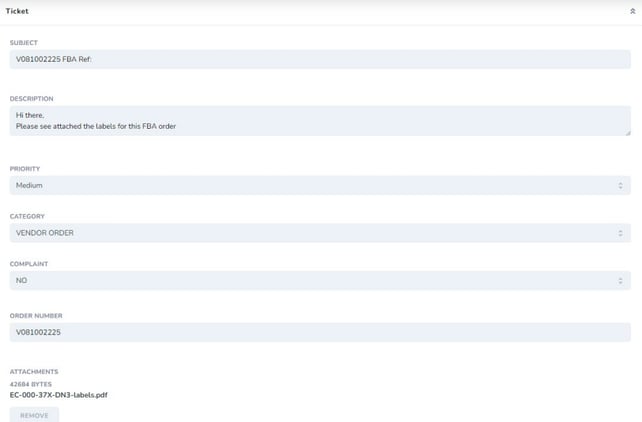
Please fill out as per the below, in the subject line include our order reference and any references which you have available that may be relevant to you
The description box is where you will write the main body of your email
Please drag and drop any labels, for example, as a file onto the field at the bottom
Once filled out please press the Create button to send the order notification to the Team

You can also view any tickets raised across your whole account (inclusive of other people with log in details).
Tickets>View Tickets
You can view tickets by their status